Production Line MES · Core Functions

Top Ten Core On-site Manufacturing Functions

Centered around planning and scheduling, order execution, material and quality control, packaging and logistics, equipment integration, and business analysis, it forms a production execution capability that covers both management and operator ends.

Planning and Order ManagementProduct Process and BOMProduction Execution and Batch TraceabilityQuality and Packaging LogisticsMonitoring ReportsEquipment and System Integration
Function Architecture

Function Directory

The following is organized according to the manufacturing execution process and system management responsibilities, covering the main functional areas for management, supervisors, and operators.

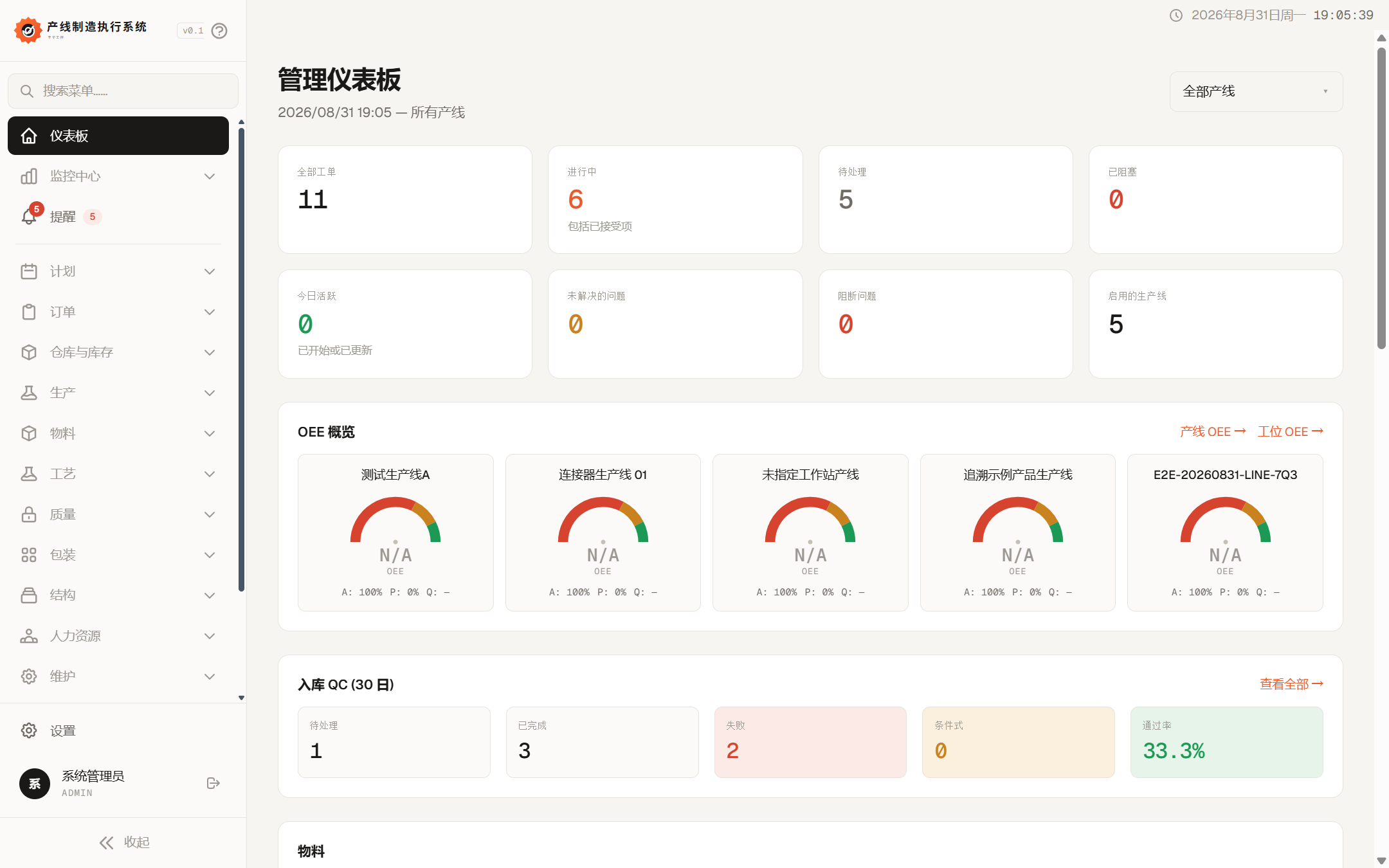
System management dashboard
Interface Examples / ManagementDashboard and Operational Status
Operations Overview and Monitoring

Powerful cockpit dashboard

Provides real-time status, alerts, and shift views from the plant, workshop, production line, to workstations.

Dashboard

Summarizes work orders, production progress, alerts, and key metrics.

Alerts and Shift Monitoring

Centralized view of exception sources, active lots, production output, and downtime.

Production Line, Workshop, and Workstation Monitoring

View equipment status, counts, alarms, and timestamps by organizational level.
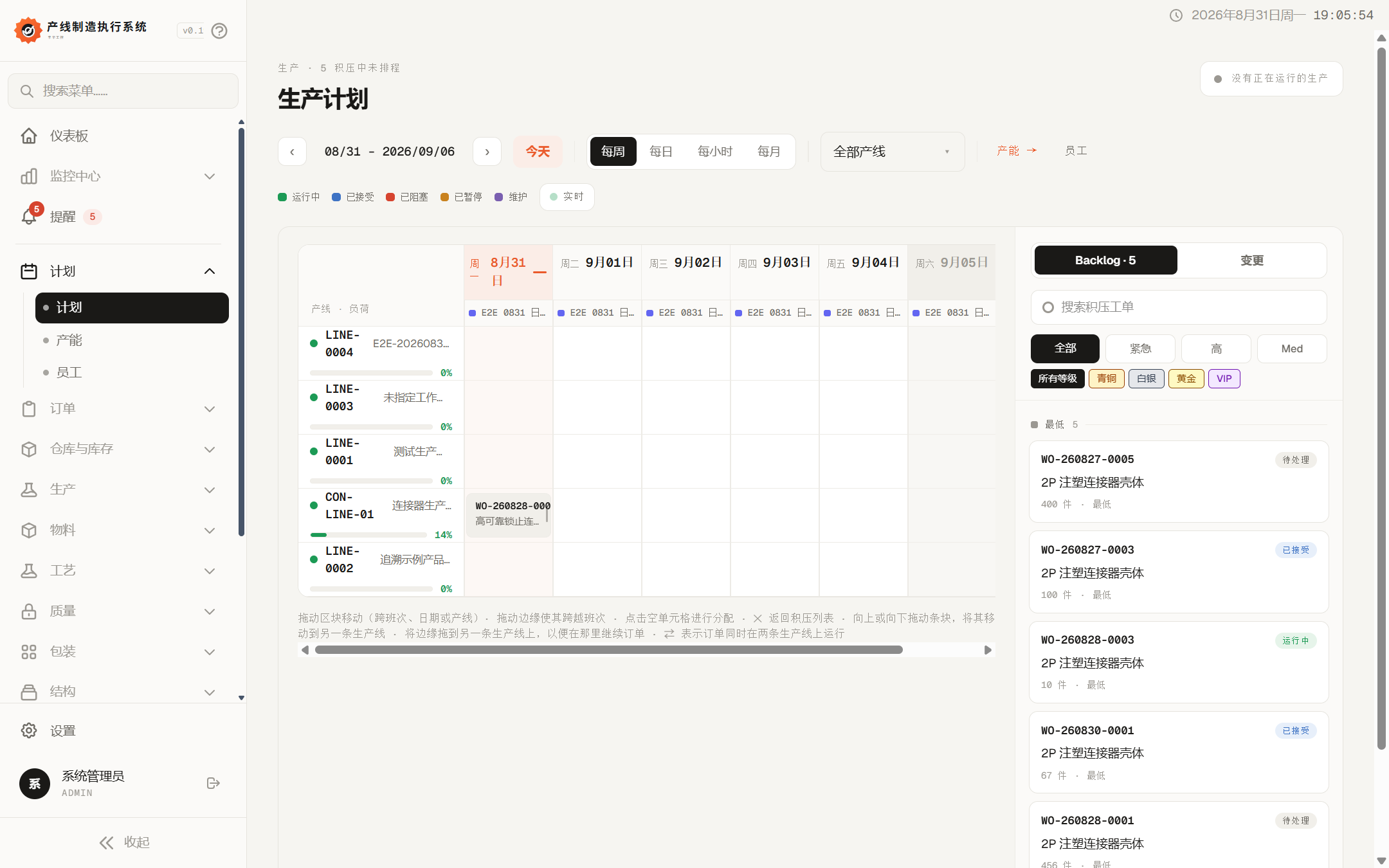
System production planning and scheduling
Interface Examples / PlanningScheduling and Capacity
Planning and Orders

Form executable production tasks

Maintain work order lifecycle, scheduling constraints, capacity load, and basic data needed for planners.

Scheduling and Capacity

Schedule work orders by date, production line, shift, and time unit while identifying load.

Work Order Lifecycle

Supports creating, accepting, rejecting, pausing, resuming, completing, canceling, and reopening.

Customers, Priorities, and Bulk Import

Maintain order customers, priority rules, and create work orders via table or ERP synchronization.

Staff Scheduling and Shifts

Maintain shift times, break windows, and personnel activity schedules.

Product versions and process templates in system work order details
Interface Examples / Work Order DetailsProduct Versions and Process Templates
Products, Processes and BOM

Convert product definitions into executable process versions

Solidify production routes through product versions, process templates, and material structures to form an execution snapshot when work orders are created.

Product Types and Product Versions

Manage product master data and release versions available for creating work orders.

Process Templates and Steps

Define step sequences, workstations, standard operating procedures, and checklists.

BOM and Subassemblies

Maintain raw materials, semi-finished products, packaging materials, and their product structure relationships.

Resource Pools and Workstation Routing

Configure alternate resources, parallel resources, workstation assignment, and execution permissions.

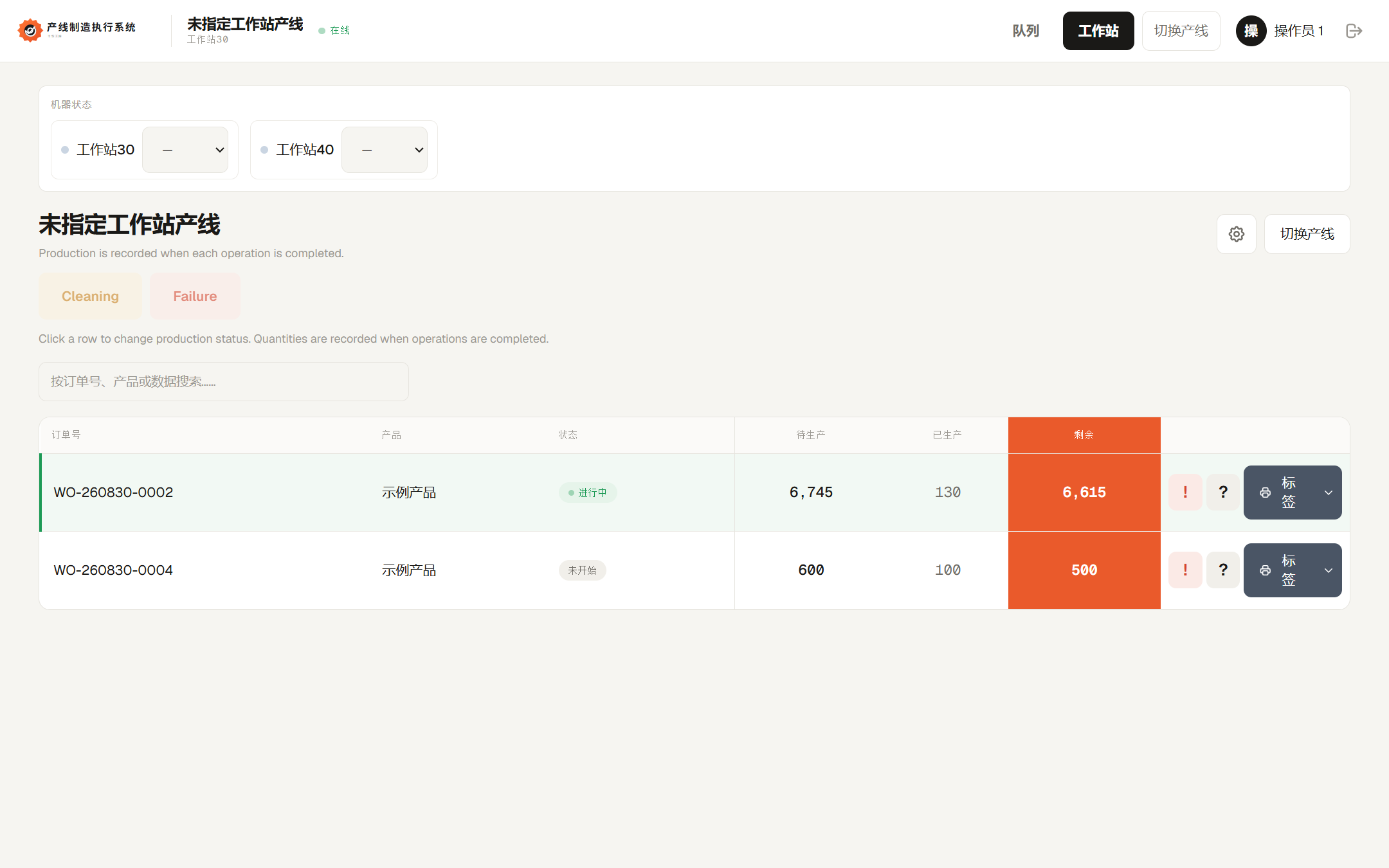
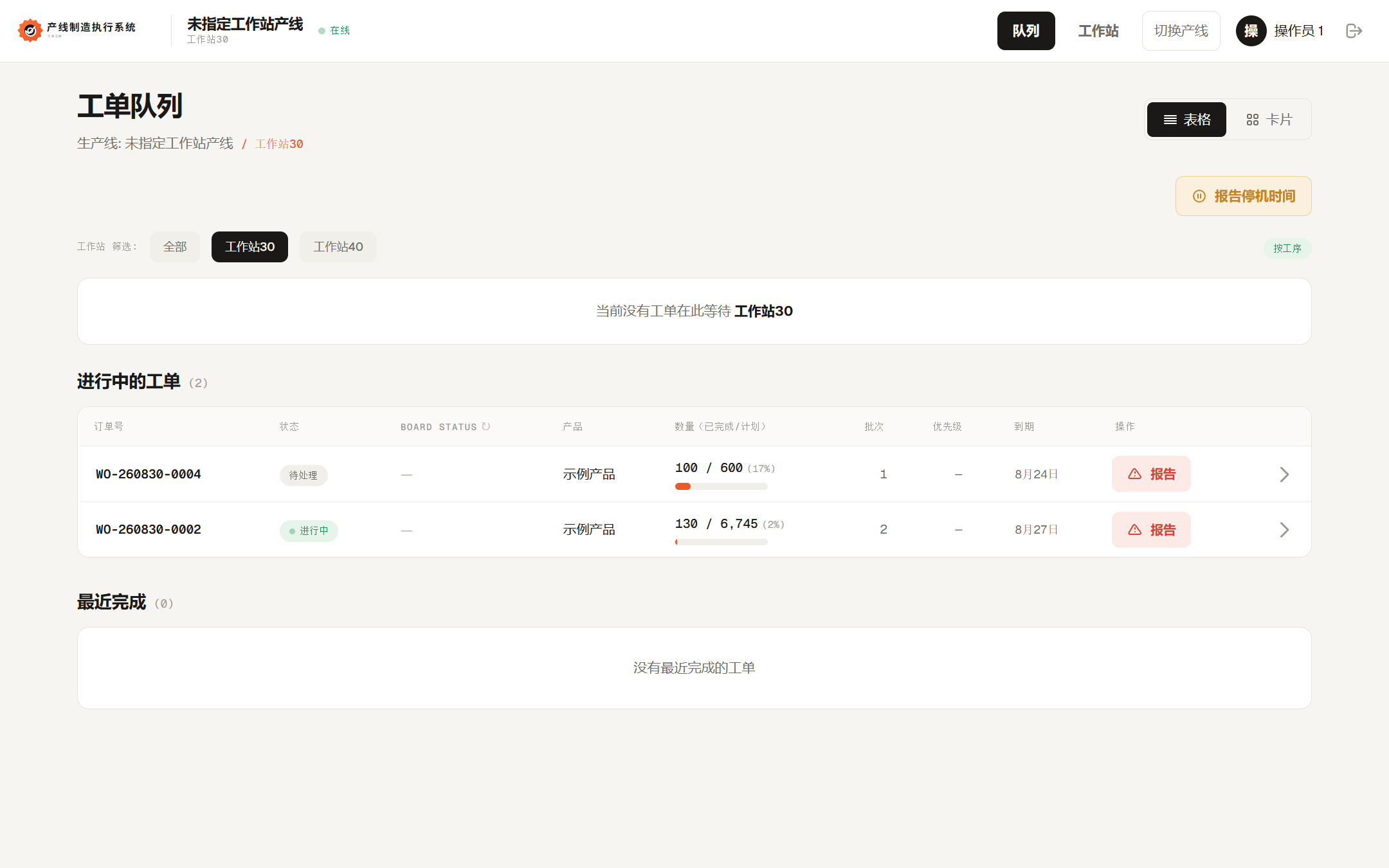
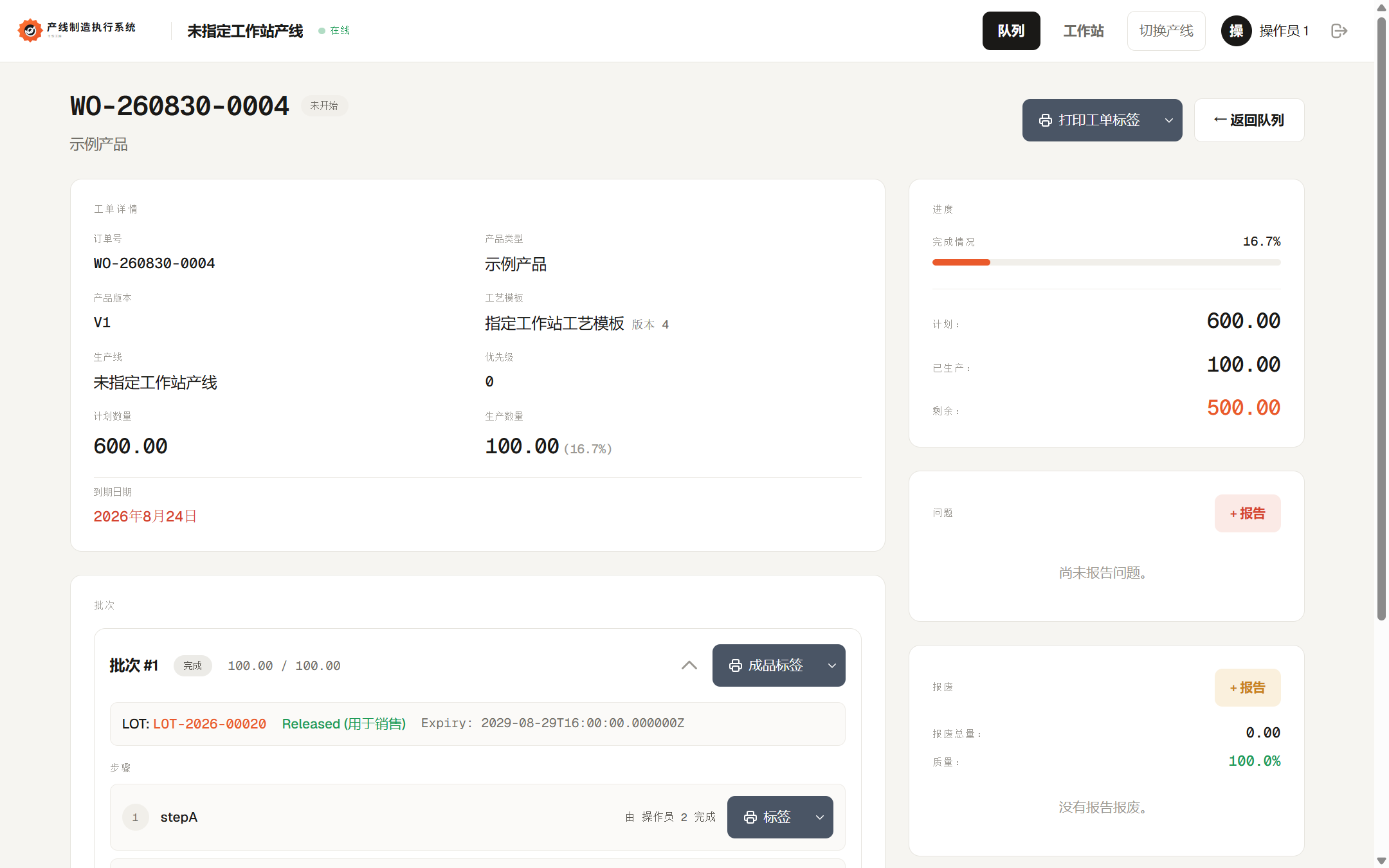
Employee task queue in the system
Interface Example / On-SiteWorkstation Queues and Production Execution
Production Execution

Drive on-site operations by work orders, batches, and workstations

Covers production line organization, operator entry, process steps, production quantity, and on-site exception handling.

Production Lines and Workstations

Configure production tasks, workstations, line status, view templates, and personnel permissions.

Operator Queues and Workstation Views

Display pending steps and production progress by line, station, and permissions.

Batches and Production Tracking

Supports step-by-step, cumulative production, and mixed tracking modes.

Reporting, Counting, and Quantity Corrections

Record manual reporting, machine counts, shift assignments, and correction events.

Exceptions, Downtime, and Scrap

Maintain issues, exception reasons, downtime events, and scrap reasons.

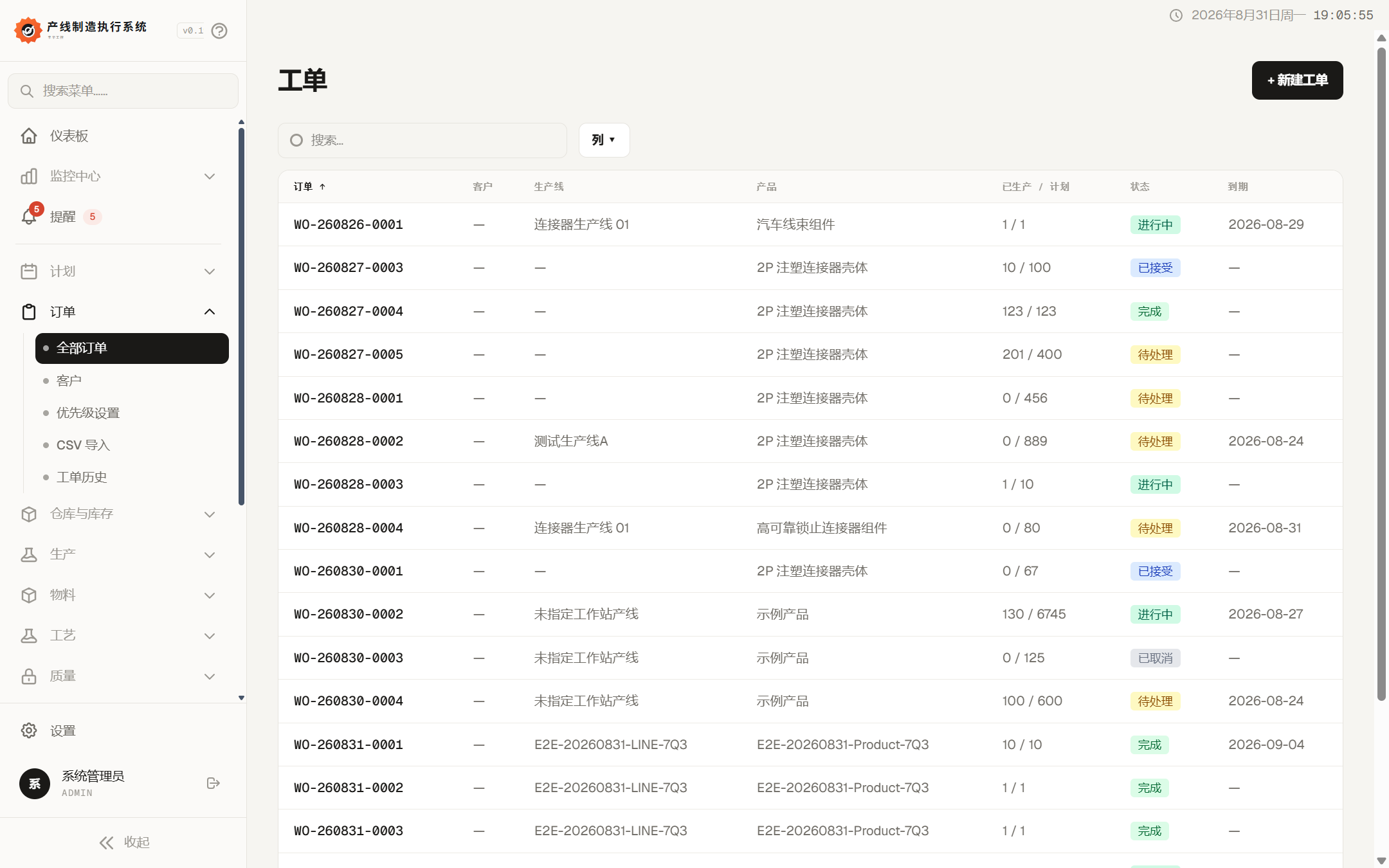
Work order list and production quantity status
Interface Example / Order ExecutionWork Order Quantity and Material Execution Linking
Materials and Inventory

Ensure materials used in production are verifiable, consumable, and traceable

Connect material master data, warehouse operations, source containers, production consumption, and work order material reconciliation.

Material Master Data

Maintain units and types for raw materials, auxiliary materials, semi-finished products, and packaging materials.

Material Batches and Source Containers

Record receipt quantities, supplier batch numbers, containers, labels, and quality status.

Warehouse Inventory and Counting

Support receiving, issuing, transfers, inventory balances, counting, and posting discrepancies.

Work Order Material Reconciliation

Record assigned, actual consumption, returns, scrap, and material reclassification.

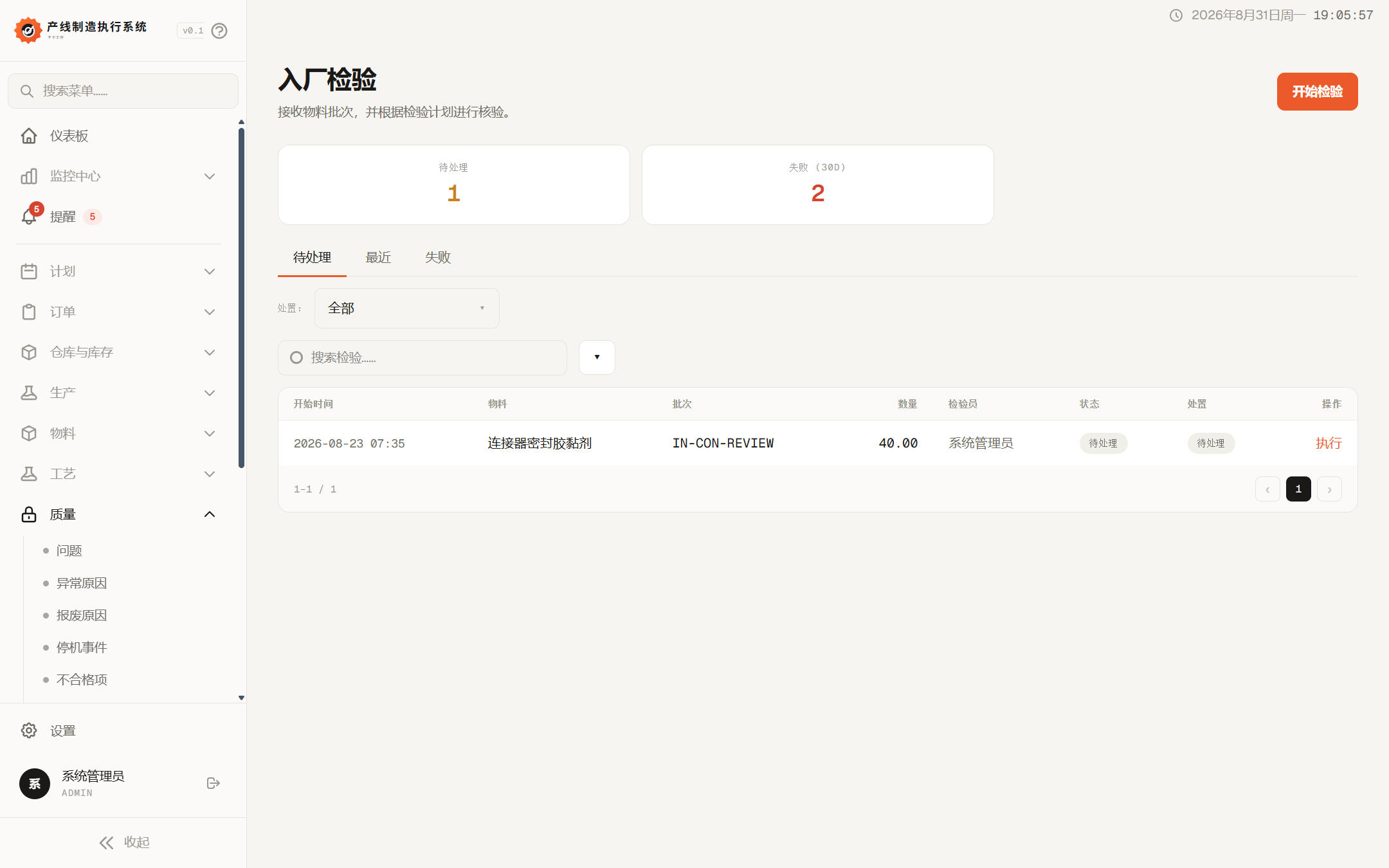
Incoming inspection
Interface Example / QualityInspection Tasks and Release Status
Quality and Traceability

Link inspection access with manufacturing genealogy

Establish unified records for incoming materials, production processes, and exception handling so quality results can influence production flow.

Incoming Material Inspection and Inspection Plans

Define inspection items, trigger conditions, result entry, and release or rejection.

Production Issues and CAPA

Record issues, responsibilities, handling actions, corrective and preventive measures, and closure status.

Batch Genealogy Tracking

Query relationships by work order, production batch, material batch, pallet, and source.

Nonconformance, Rework, and Reinspection

Summarize nonconformance records and support isolation, rework, reinspection, and release verification.

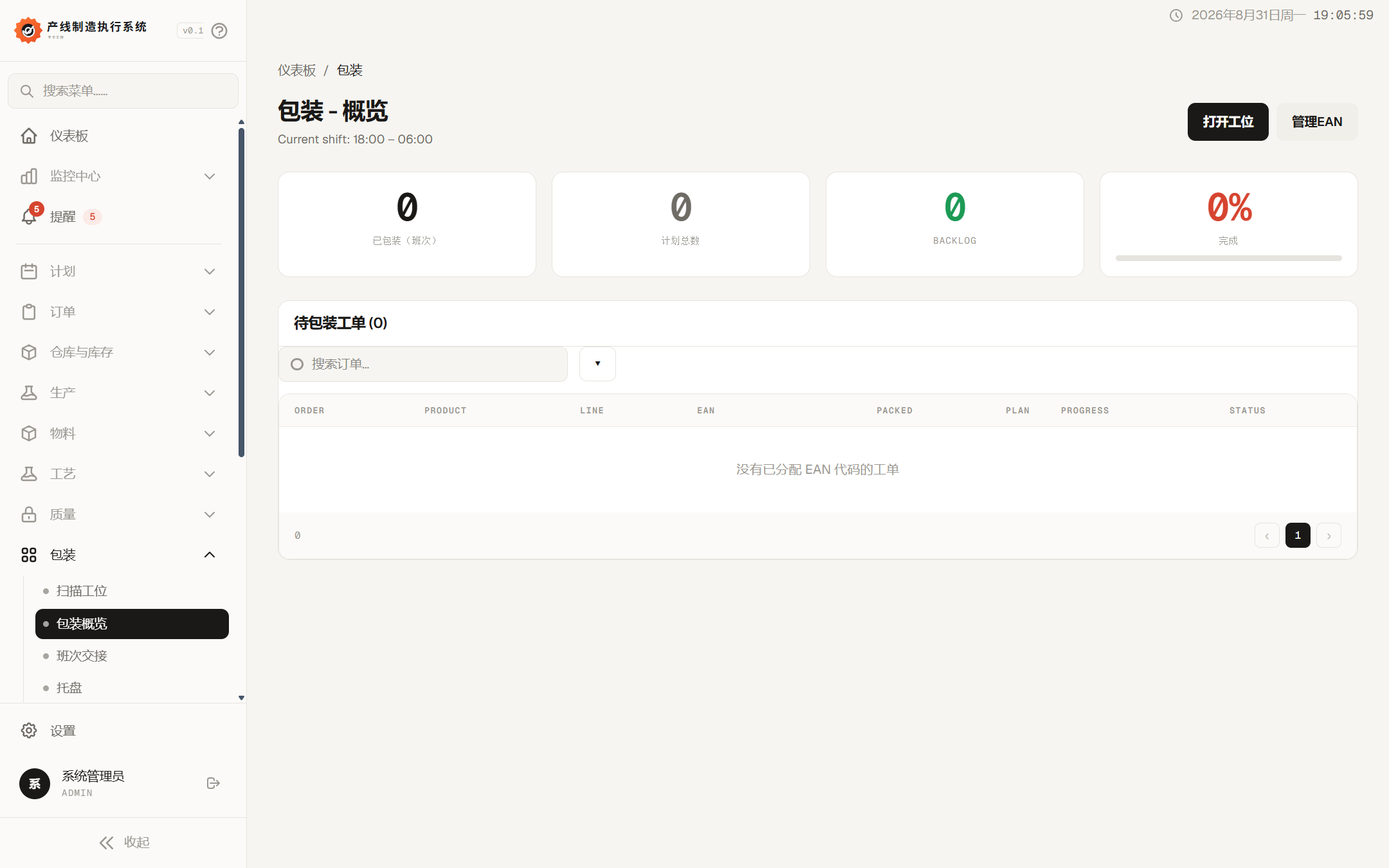
Packaging module overview
Interface Example / PackagingPackaging Progress and EAN Management
Packaging and Logistics

Extending from production completion to packaging handover

Manages on-site data before finished product delivery, focusing on scanning, pallets, labels, location moves, and shift handovers.

Packaging Overview and Scanning Workstations

View pending packaging tasks, quantities, and progress, and perform scan confirmations.

Pallets and Pallet Logistics

Maintain loading status, current location, target location, and movement paths.

Shift Handover

Record production, work in progress, open pallets, exceptions, and unfinished items.

EAN and Label Templates

Maintain product barcodes, packaging label fields, formats, and print templates.

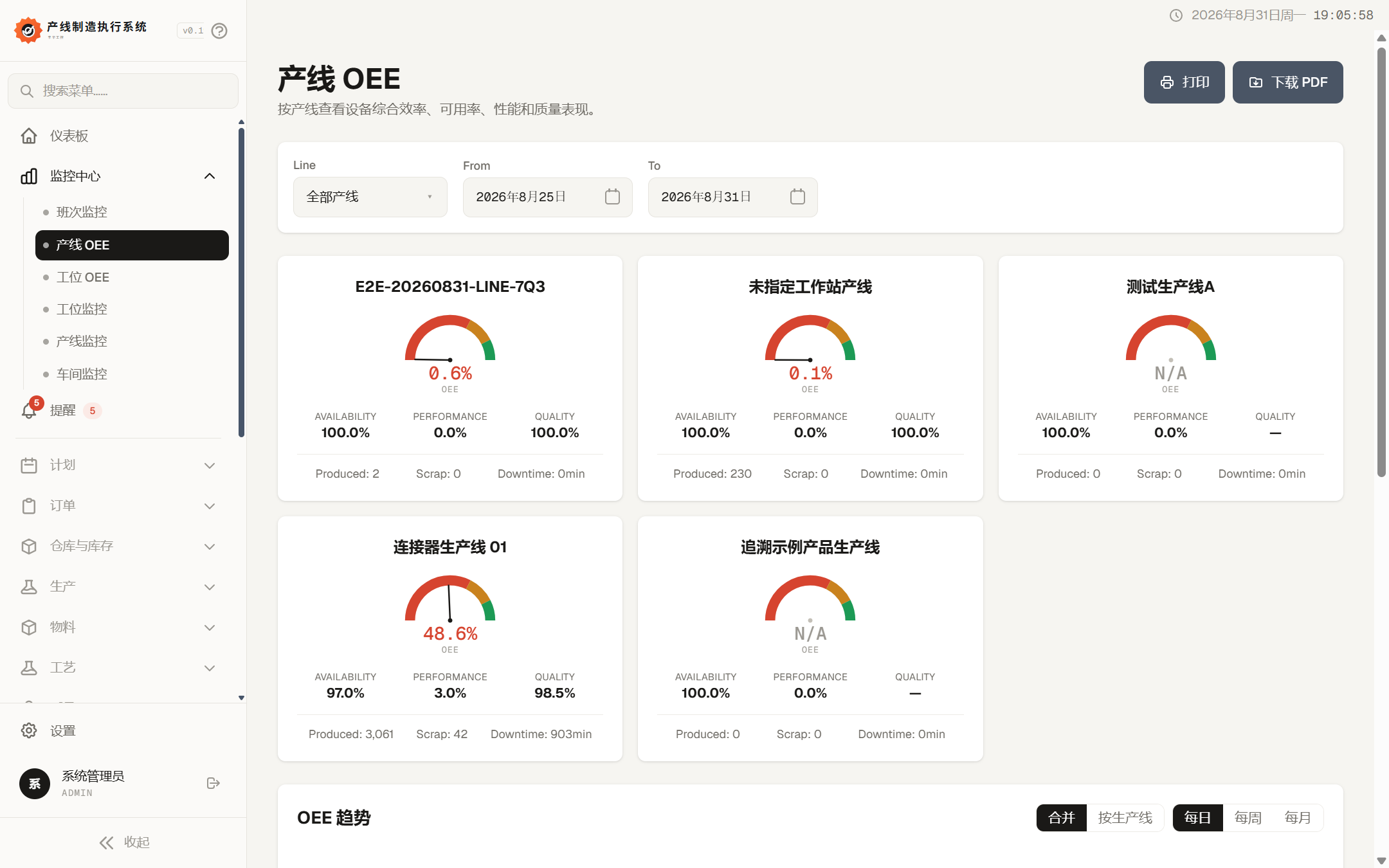
System production line OEE analysis
Interface Examples / AnalyticsProduction Line OEE and Efficiency Analysis
Analytics and Reports

Support efficiency, cost, and delivery analysis with production facts

Convert execution events, quality records, material consumption, and equipment status into filterable and exportable analytics.

Production Line and Workstation OEE

Analyze availability, performance, and quality by line, workstation, date, and shift.

Work Order History

Query work orders, batches, steps, quantities, and production execution history.

Cost and Material Requirements

Analyze material, labor, and other costs, identify BOM net requirements and gaps.

Scrap and Defective Reports

Summarize losses by time, line, product, reason, and disposition status.

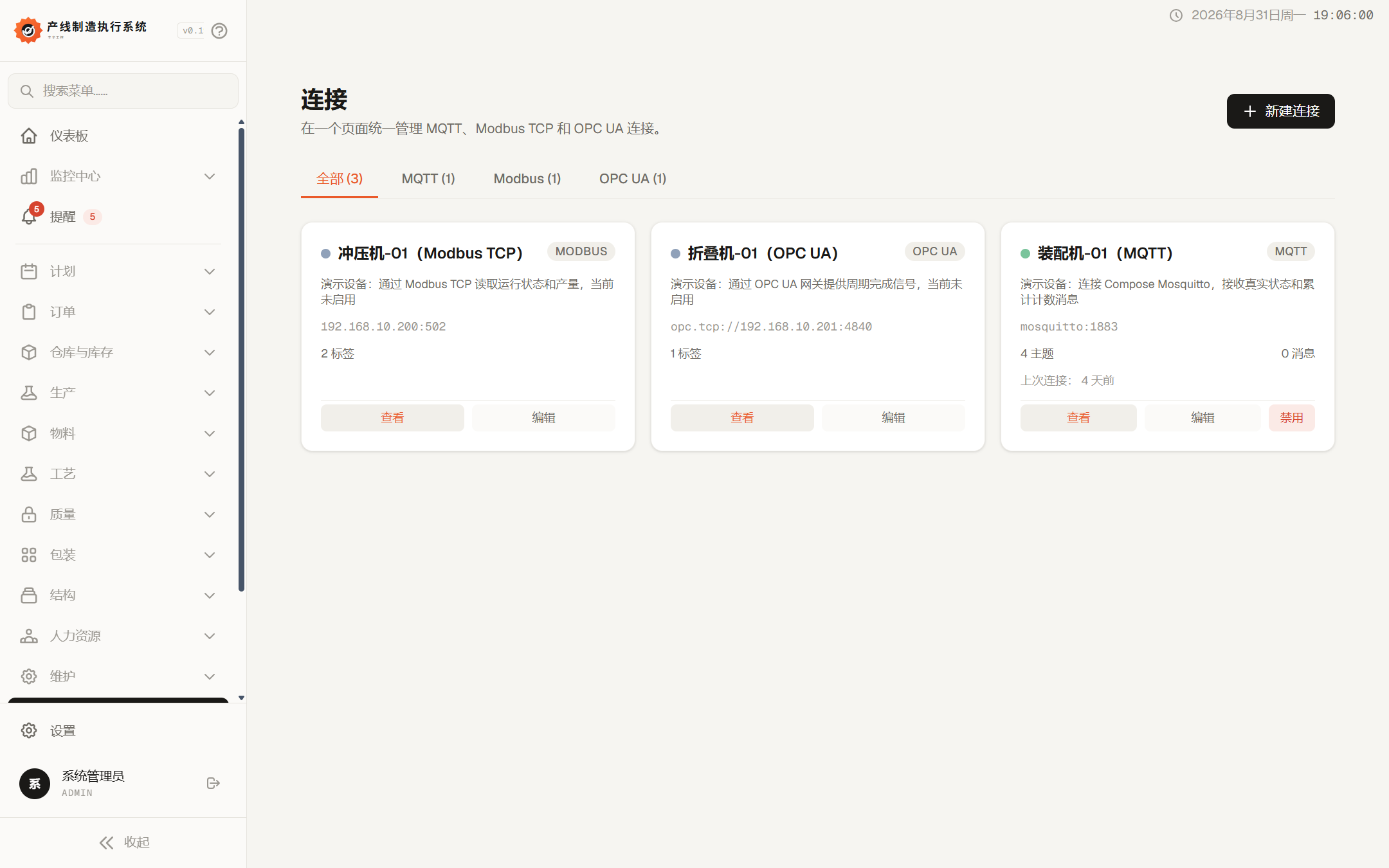
System equipment connection management
Interface Examples / IntegrationMQTT, Modbus TCP, and OPC UA
Equipment and External Integration

Connect devices and enterprise business systems

Provide device connection, external system integration, and event push capabilities, supporting step-by-step transition from manual execution to automated data collection.

MQTT、Modbus TCP、OPC UA

Configure brokers, PLCs, gateways, topics, registers, and node mapping.

Connection Health and Signal Management

View enable status, runtime heartbeat, machine signals, and workstation bindings.

ERP, WMS, and External Integration

Handle orders, inventory, and status synchronization, clearly defining system responsibility boundaries.

Webhooks and Event Push

Push production, quality, and system events to external HTTP endpoints and record delivery results.

System workstation view
Interface Examples / WorkstationWorkstation Configuration and Execution Boundaries
Organization, Security, and System Management

Maintain the organizational, permission, and audit basics needed for system operation

Provide organizational structure, personnel, maintenance, and security management for multi-factory, multi-workshop, and multi-role deployments.

Sites, Areas, Factories, and Departments

Establish a hierarchy from physical locations to production organizations.

Workers, Teams, Skills, and Labor Costs

Maintain personnel files, skill levels, absences, teams, and payroll groups.

Maintenance, tools, and cost sources

Manage maintenance plans, maintenance events, tool status, and additional costs.

Users, permissions, logs, and audits

Maintain account roles, data permissions, activity logs, system logs, and audit records.

System settings and module management

Configure production rules, printing, notifications, feature enable/disable, and recycle bin recovery.

Learn more

If you want to learn more about this system and get more system information, please contact us.

Schedule a demo